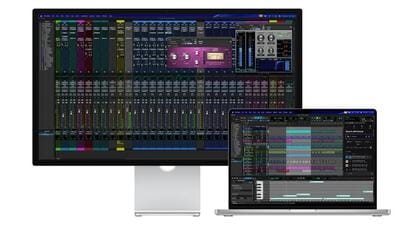
A gap of four years, but the basics don’t change. That is clearly the premise with which Apple has gone about this display refresh. The 2026 iteration of the Apple Studio Display retains the core display technology, which in 2022 was effortlessly resetting the benchmark much further with future proofing in mind, and that continuity is now being complimented to upgrades and changes elsewhere. Could you have imagined a time that a monitor being connected with a Mac, would require an update that’s greater than 2GB in size? That’s exactly where the Studio Display (2026) began when connected to the Mac Studio setup.
One of the biggest generational upgrades, of course borne by the passage of time between the two iterations, is the Apple Studio Display (2026) is now powered by an A19 chip, the one seen in the iPhone 17 and the iPhone 17e. This display’s more powerful sibling, the Apple Studio Display XDR, in fact finds its beating heart in the A19 Pro chip, that also does duties in the iPhone 17 Pro and the iPhone Air. Think about it, the Apple Studio Display has a chip thats more powerful than the MacBook Neo. But why, you may be wondering, does an accessory that’s essentially an external display, need such powerful processing capabilities?
I am not entirely sure about the core configuration of the A19 chip in the latest generation Studio Display (this doesn’t require neural processing smarts, for instance) , but there are key reasons why its been structured this way (its an upgrade from the predecessor’s A13 chip). First, more image processing power, higher memory bandwidth, and a better graphics foundation for a display that is supposed to handle 120Hz refresh rates. Secondly, the Center Stage camera is certainly an upgrade in the truest sense for video meeting quality. The addition of the Desk View feature, which is more a top-down view processed by the Center Stage camera in case you’re not using an iPhone for that, does require a fair amount of processing power.
Mileage on this feature will vary (you’ll need a big enough desk to be in its field of view, for instance) though apps including Zoom and Webex have this as the camera choice option in their latest versions.
Third, and this tackles the other set of updates with the Studio Display (2026) — the port configuration. There are now two Thunderbolt 5 ports (one of these must be used to connect a Mac Studio or a Mac mini, for instance), and two USB-C ports. The USB-C ports are rated at up to 10Gbps speeds. But the Thunderbolt 5, which is rated at 120Gbps upgrade is what matters most. The port with the dot marking can also deliver up to 96-watt of host charging, which means any MacBook (not the Mac Studio or a Mac mini) can be powered by the Studio Display itself. That’s convenience, and a cleaner setup in a way.
Apple shared the Nano-texture variant of the Studio Display (2026) for review, and this with the tilt-and-height-adjustable stand option is pretty much top of the line. The standard glass options for this 27-inch 5K Retina display brilliance are priced at ₹1,89,900 while the one we are reviewing here is priced at ₹2,79,900 — that’s the premium for this coating, and while you may have a difference of opinion on the value of it, advantages are clear for a certain demographic of Studio Display users. In typical workplace scenarios with a lot of ambient lighting as well as ceiling lighting, all of which collectively reflects back when you may be working on precise photo or video edits, the Nano-texture layer eliminates pretty much all reflections. Unless you have a window with the summer sun streaming in directly behind you, in which case you’ll notice a silhouette.
If you already have the first generation Studio Display, there may be little to rush and buy this generation, unless the Nano-texture coating is what you really need. It is still the same 270-inch 5K Retina display with 218 pixels per inch and rated at 600-nits of peak brightness. There are as many as nine reference modes available in the display settings, including HDTV Video (BT.709-BT.1886), Digital Cinema (P3-D65), and Design and Print (P3-D50), which should appeal to the creatives who’ll be making a space for this in the workflows. Important to point out two things. First, there is a bug that doesn’t let the Studio Display (2026) retain the 2880 x 1620 resolution setting (this sits between default and More Space settings) at every fresh boot, and reverts to Default.
Secondly, this display tech was ahead of its time in 2022, but not so much now, which means you will occasionally notice slightly slower pixel response with fast moving visuals. If you look very closely, that is. There is also no HDR support, or High Dynamic Range, which is now a staple for not just video streaming platforms, but also video recordings on flagship smartphones (you may be editing a lot of those, in due course).
Audio sees a significant improvement, which became even better after the update that I mentioned earlier — it is still the same 6-speaker array, but there is much more bass response than before. While the previous generation’s Studio Display’s audio response was fantastic even for music playback, the 2026 edition Studio Display just adds a dollop more to the experience. Even at 30% volume in a fairly silent study, this is room filling in the truest sense. That said, vocals in some tracks are a smidgen sharper than they ideally should be — something for the next update to work on, perhaps.
The primary reason you’ll considering an Apple Studio Display is because Apple simply makes products that integrate seamlessly into your Mac setup and Mac focused workflow. That is the reason this will find takers over anything that LG, Asus, Samsung or other may want to sell you — bar BenQ, which has taken refinement to the next level. There is certainly an argument for the 2026 edition of the Studio Display to not largely carry forward the same spec sheet from four years ago, and that too at similar prices. The Nano-Texture premium, is certainly that. Addition of HDR would have certainly helped its side of the defence. Buy this for the seamless integration smarts, Thunderbolt 5 improvements and a display (despite what is missing) which still sets the standards with basics of colour accuracy and visual quality.